
Use the PDF Drawing to DXF / SVG Vector Extractor
Extract vector geometry from a PDF drawing and export it as DXF or SVG: lines, rectangles and Bézier curves at true page size with a drawing-scale setting.
- Free to use
- No signup
- Nothing to install
- Runs in your browser
Illustration. Open the tool for the real thing.
See it in action
Sample input: File = sample.pdf
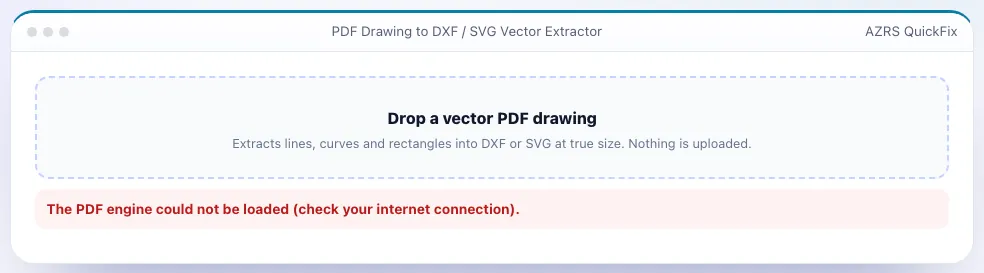
What is the PDF Drawing to DXF / SVG Vector Extractor?
Many drawings only exist as PDFs: a supplier's floor plan, a template, a chart or a CAD drawing exported for printing. If the PDF contains real vector graphics rather than a scanned picture, the lines and curves are still in there as drawing commands. This tool reads those commands from the page you choose — move, line, curve, rectangle and close operations, with the page's transformation matrices applied — and rebuilds them as geometry in millimetres at true page size (1 PDF point = 0.3528 mm). A scale setting turns a drawing printed at 1:50 into a full-size DXF, and a preview shows exactly what was found.
Optional clean-up joins segments into continuous paths and removes duplicate lines, short paths can be dropped, and filled shapes can be kept as outlines or ignored. Export DXF (R2000) or SVG. Scanned PDFs contain pictures, not vectors, so the tool says so and points you to the image tracer; text in PDFs is stored as fonts and is not converted. The file is read in your browser and never uploaded.
3 steps to your result
Open the tool and follow along. Nothing to install.
What you get
Lines, rectangles and Bézier curves from the PDF drawing commands.
Page units in mm with a drawing-scale setting (1:10, 1:50, 1:100…).
Join paths and remove duplicate segments; drop short paths.
R2000 DXF or true-scale SVG.
AZRS tools are free to open and use.
It opens in your browser, so there is nothing to download.
Used for
Pick one to see how it fits.
How it compares
A plain look at this tool next to the usual alternative.
| This 3d tool | Desktop software | |
|---|---|---|
| Install | Nothing to install | Usually an app or program to install |
| Account | No signup | Depends on the product |
| Cost | Free to use | Free or paid, depends on the product |
| Where it runs | In your browser tab | On your computer |
Questions people ask
Why did it find nothing?
The PDF is probably a scan or only contains text.
Does it keep layers?
PDF layers are not exposed; geometry goes to one layer.
Is it private?
Yes — the PDF stays in your browser.
Does it need an internet connection?
It loads the PDF engine from a CDN once.
How do I use the PDF Drawing to DXF / SVG Vector Extractor?
1. Drop in a vector PDF. 2. Choose the page and the drawing scale. 3. Check the preview and clean-up settings. 4. Download the DXF or SVG.
More free tools
Related to the PDF Drawing to DXF / SVG Vector Extractor.
Try the PDF Drawing to DXF / SVG Vector Extractor now
Extract the real vector lines and curves from a PDF drawing into DXF or SVG at true scale. Free to use.
Try it free