
The free Prayer Times and Hijri Calendar
Type a city or share your location to see today's five prayers, the Hijri date and a countdown.
- Free to use
- No signup
- Nothing to install
- Works in any modern browser
Toronto, Canada; method Muslim World League; Standard Asr
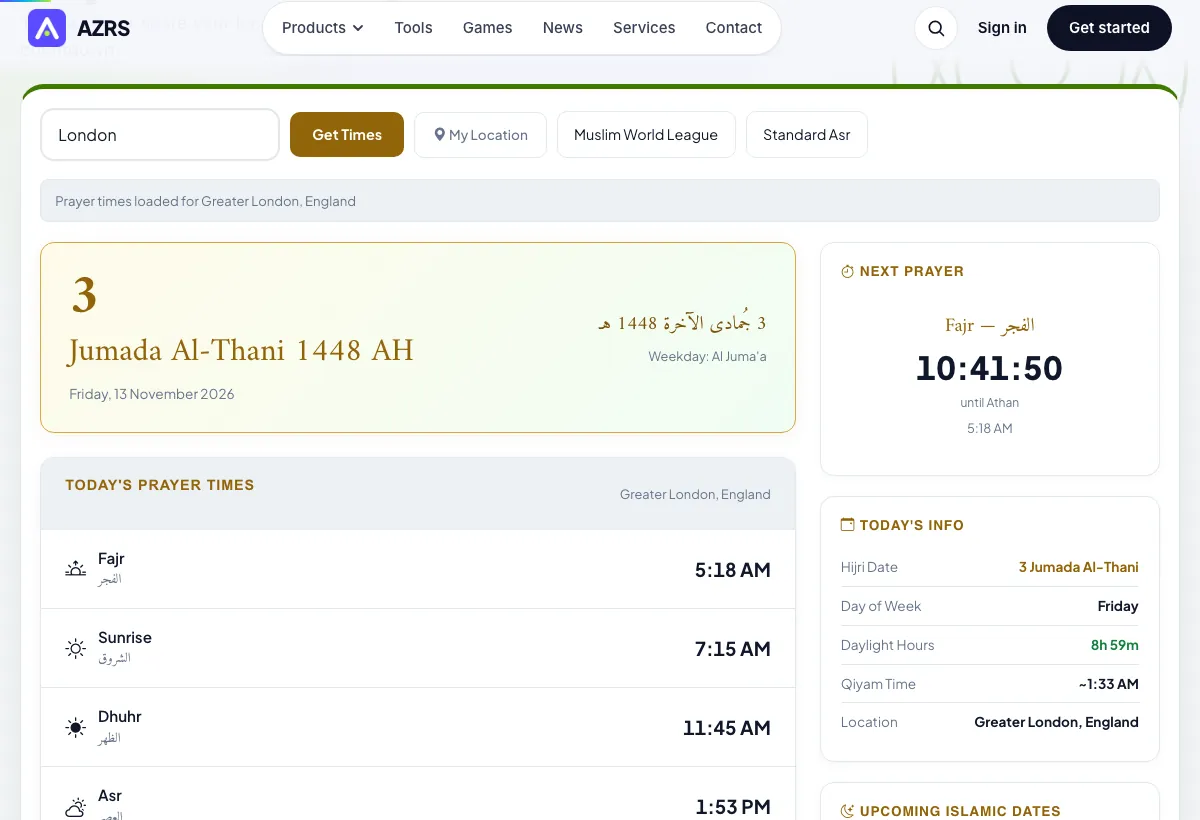
Today's five prayers listed with times for that city
Next prayer highlighted with a live countdown
Hijri date and the coming Islamic dates
Open the Prayer Times and Hijri Calendar
Illustration. Open the tool for the real thing.
See it in action
Sample input: City, Country… = London. Pressed Get Times.
What is the Prayer Times and Hijri Calendar?
The five daily prayers are Fajr, Dhuhr, Asr, Maghrib and Isha. Their times follow the sun, so they change with your location and with the season. Fajr starts at dawn, Dhuhr just after the sun passes its highest point, Asr in the afternoon, Maghrib at sunset and Isha once the evening light has gone.
This tool asks for a city or uses your location, then loads the day's times for the calculation method you pick. It also shows the Hijri date, a countdown to the next prayer, the last third of the night, a monthly view and the Islamic dates coming up.
3 steps to your result
Open the tool and follow along. Nothing to install.
Enter a city and country, such as Toronto, Canada, then press Get Times. Or press My Location and allow the browser to share it.
Standard Asr and Hanafi Asr give different Asr times. Pick the one your school of thought follows.
Today's five prayers appear with the next prayer highlighted and a live countdown. Use the arrows to browse the month.
What you get
Check the times against your local mosque timetable once, then note which method matches it best.
Search with city and country together, for example Leicester, United Kingdom, to avoid picking the wrong place.
Near the poles or in summer at high latitudes, Fajr and Isha can be hard to define; ask your mosque which rule it uses.
Allow location access only if you want it. You can always type a city instead.
AZRS tools are free to open and use.
It opens in your browser, so there is nothing to download.
How it compares
A plain look at this tool next to the usual alternative.
| This religion tool | Desktop software | |
|---|---|---|
| Install | Nothing to install | Usually an app or program to install |
| Account | No signup | Depends on the product |
| Cost | Free to use | Free or paid, depends on the product |
Questions people ask
How are the prayer times worked out?
They are calculated from the position of the sun for your location and date. Dhuhr follows solar noon, Maghrib follows sunset, Asr depends on shadow length, and Fajr and Isha use a twilight angle that differs by method.
Which calculation method should I choose?
Choose the one your local mosque or country follows. If you are not sure, ask the mosque, because the same city can have slightly different times under different methods.
What is the difference between Standard and Hanafi Asr?
Under the standard view, Asr begins when an object's shadow equals its height. Under the Hanafi view it begins when the shadow is twice the height, so Asr starts later. Follow the view of your own school.
Why does the mosque timetable differ from this page?
Mosques may use a different method, local adjustments or a few minutes of caution. Your mosque's timetable is the one to follow for congregational prayer.
What is the Hijri calendar shown here?
It is the Islamic lunar calendar, which began with the migration to Medina. The date shown is calculated, and the start of a month such as Ramadan is confirmed locally by moon sighting or an announced rule.
Please note. Guidance only. Prayer times are calculated; confirm with your local mosque or Islamic authority.
More free tools
Related to the Prayer Times and Hijri Calendar.
Try the Prayer Times and Hijri Calendar now
Fajr to Isha for any city, with Hijri date and countdown. Free to use.
Try it free