
Explore the Curve Fitting: Best-Fit Line & Regression
Drag data points and watch the best-fit line, quadratic and cubic curves and R² update. Free, no signup, runs in your browser.
- Free to use
- No signup
- Nothing to install
- Runs in your browser
Illustration. Open the tool for the real thing.
See it in action
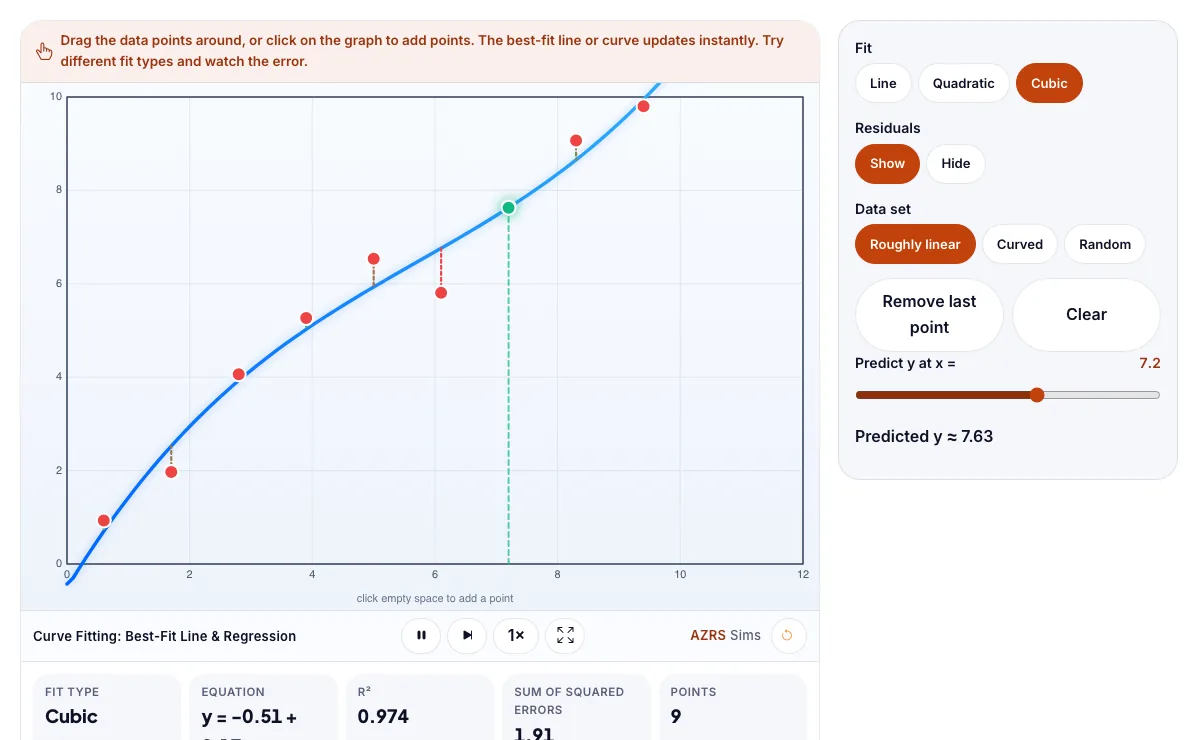
The Curve Fitting: Best-Fit Line & Regression with sample data entered and the result showing.
What is the Curve Fitting: Best-Fit Line & Regression?
Drag data points and watch the best-fit line, quadratic and cubic curves and R² update. It runs in your browser, so a change to a setting or a drag on an object shows up at once.
Scientists, economists and engineers fit curves to data to find trends and predict.
3 steps to your result
Open the tool and follow along. Nothing to install.
What you get
Least squares finds the curve that makes the total squared error smallest.
R² close to 1 means a good fit.
Higher-degree curves can over-fit.
Drag one point far away and watch the line move.
Fit a curved data set with a line and a quadratic.
Add points by clicking.
Used for
Pick one to see how it fits.
Math learners
Algebra, geometry, trigonometry and calculus students, teachers preparing demonstrations, and self-learners who want to see the maths move.
Try it freeTeachers
For teachers: project the Curve Fitting: Best-Fit Line & Regression on the board, let students predict the result, then run it together and test this: Fit a curved data set with a line and a quadratic. For students: change one thing at a time and write down what changes.
Try it freeHow it compares
A plain look at this tool next to the usual alternative.
| This simulation | Textbook diagram | |
|---|---|---|
| Interactive | Drag, tap and change settings | Fixed picture |
| Install | Nothing to install | Not needed |
| Cost | Free to use | Depends on the book |
Questions people ask
What is a line of best fit?
The straight line that has the smallest total squared distance from all the points.
What is R²?
The fraction of the variation in the data that the fit explains.
Is the Curve Fitting: Best-Fit Line & Regression free to use?
Yes. The Curve Fitting: Best-Fit Line & Regression is free, needs no signup or download and runs in your web browser. It is part of the Math group of AZRS simulations.
Does the Curve Fitting: Best-Fit Line & Regression work on a phone or tablet?
Yes. The Curve Fitting: Best-Fit Line & Regression takes touch input as well as mouse input, so you can use its 4 adjustable settings with a finger. A larger screen makes the controls and graphs easier to read.
How do I use the Curve Fitting: Best-Fit Line & Regression?
1. In the Curve Fitting: Best-Fit Line & Regression, use the controls to change Fit, Residuals, Data set, Predict y at x =. The simulation reacts instantly. 2. In the Curve Fitting: Best-Fit Line & Regression, pick an option such as Line, Quadratic, Cubic, Show to switch modes or load an example. 3. In the Curve Fitting: Best-Fit Line & Regression, press "Remove last point", "Clear" to start, reset or change what is happening. 4. Start with this experiment: Drag one point far away and watch the line move. Drag any glowing handle, object or slider with your mouse or finger and the Curve Fitting: Best-Fit Line & Regression responds in real time. 5. Change one setting at a time and watch which readout moves, then compare it with this idea: Least squares finds the curve that makes the total squared error smallest.
More free tools
Related to the Curve Fitting: Best-Fit Line & Regression.
Try the Curve Fitting: Best-Fit Line & Regression now
Drag data points and watch the best-fit line, quadratic and cubic curves and R² update. Free to use.
Try it free