
Explore the Collision Theory Simulator
Watch molecules collide and see why only fast, well-oriented collisions react. Free, no signup, runs in your browser.
- Free to use
- No signup
- Nothing to install
- Runs in your browser
Illustration. Open the tool for the real thing.
See it in action
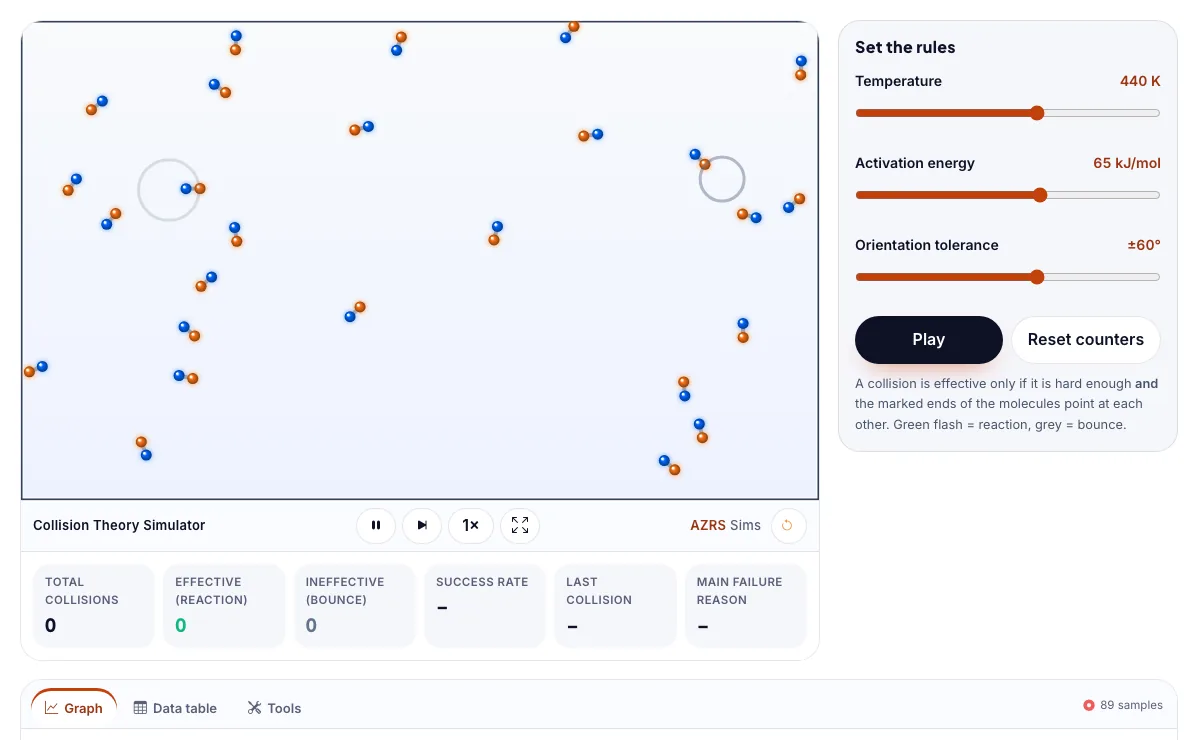
The Collision Theory Simulator with sample data entered and the result showing.
What is the Collision Theory Simulator?
Watch molecules collide and see why only fast, well-oriented collisions react. It runs in your browser, so a change to a setting or a drag on an object shows up at once.
Collision theory explains why refrigeration slows food spoilage and why catalysts and mixing speed up reactions.
3 steps to your result
Open the tool and follow along. Nothing to install.
What you get
A collision must have enough energy (at least the activation energy) to react.
The particles must also hit in the right orientation.
Most collisions are ineffective, which is why reactions take time.
Raise the temperature.
Narrow the orientation tolerance.
Lower the activation energy.
Used for
Pick one to see how it fits.
Reactions & Kinetics learners
Students learning reaction rates, equilibrium and equations, and teachers who want a visual way to explain what happens to particles.
Try it freeTeachers
For teachers: project the Collision Theory Simulator on the board, let students predict the result, then run it together and test this: Narrow the orientation tolerance. For students: change one thing at a time and write down what changes.
Try it freeHow it compares
A plain look at this tool next to the usual alternative.
| This simulation | Textbook diagram | |
|---|---|---|
| Interactive | Drag, tap and change settings | Fixed picture |
| Install | Nothing to install | Not needed |
| Cost | Free to use | Depends on the book |
Questions people ask
What is collision theory?
The idea that particles must collide with enough energy and in the right orientation for a reaction to occur.
Why do most collisions not lead to a reaction?
Most collisions are too weak, or the molecules are the wrong way round, so they simply bounce apart.
Is the Collision Theory Simulator free to use?
Yes. The Collision Theory Simulator is free, needs no signup or download and runs in your web browser. It is part of the Reactions & Kinetics group of AZRS simulations.
Does the Collision Theory Simulator work on a phone or tablet?
Yes. The Collision Theory Simulator takes touch input as well as mouse input, so you can use its 3 adjustable settings with a finger. A larger screen makes the controls and graphs easier to read.
How do I use the Collision Theory Simulator?
1. In the Collision Theory Simulator, use the controls to change Temperature, Activation energy, Orientation tolerance. The simulation reacts instantly. 2. In the Collision Theory Simulator, press "Pause", "Reset counters" to start, reset or change what is happening. 3. Start with this experiment: Raise the temperature. Drag any glowing handle, object or slider with your mouse or finger and the Collision Theory Simulator responds in real time. 4. Change one setting at a time and watch which readout moves, then compare it with this idea: A collision must have enough energy (at least the activation energy) to react.
More free tools
Related to the Collision Theory Simulator.
Try the Collision Theory Simulator now
Watch molecules collide and see why only fast, well-oriented collisions react. Free to use.
Try it free