
Explore the Capacitor Lab: Basics
Change plate area, separation and voltage to see capacitance, charge and stored energy. Free, no signup, runs in your browser.
- Free to use
- No signup
- Nothing to install
- Runs in your browser
Illustration. Open the tool for the real thing.
See it in action
The Capacitor Lab: Basics with sample data entered and the result showing.
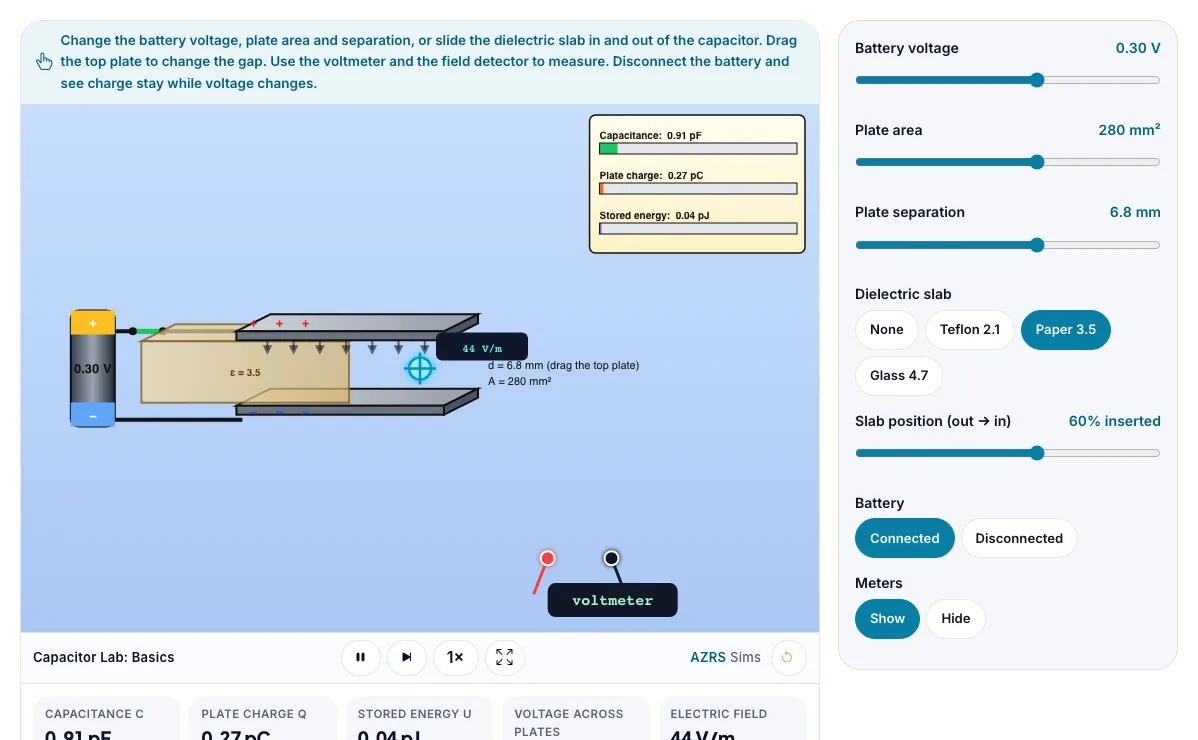
What is the Capacitor Lab: Basics?
Change plate area, separation and voltage to see capacitance, charge and stored energy. It runs in your browser, so a change to a setting or a drag on an object shows up at once.
Camera flashes, touch screens, power supplies and radio tuners use capacitors.
3 steps to your result
Open the tool and follow along. Nothing to install.
What you get
C = ε₀ A / d.
Charge Q = C V.
Energy U = ½ C V².
Drag the top plate up and down.
Disconnect the battery and change d.
Double the plate area.
Used for
Pick one to see how it fits.
Physics learners
Physics students in middle school, high school and first-year university, teachers who want a quick demonstration for the projector, and anyone revising for exams.
Try it freeTeachers
For teachers: project the Capacitor Lab: Basics on the board, let students predict the result, then run it together and test this: Disconnect the battery and change d. For students: change one thing at a time and write down what changes.
Try it freeHow it compares
A plain look at this tool next to the usual alternative.
| This simulation | Textbook diagram | |
|---|---|---|
| Interactive | Drag, tap and change settings | Fixed picture |
| Install | Nothing to install | Not needed |
| Cost | Free to use | Depends on the book |
Questions people ask
What does a capacitor do?
It stores energy in the electric field between two plates.
What happens if you disconnect the battery and pull the plates apart?
The charge stays fixed, capacitance falls and the voltage rises.
Is the Capacitor Lab: Basics free to use?
Yes. The Capacitor Lab: Basics is free, needs no signup or download and runs in your web browser. It is part of the Physics group of AZRS simulations.
Does the Capacitor Lab: Basics work on a phone or tablet?
Yes. The Capacitor Lab: Basics takes touch input as well as mouse input, so you can use its 7 adjustable settings with a finger. A larger screen makes the controls and graphs easier to read.
How do I use the Capacitor Lab: Basics?
1. In the Capacitor Lab: Basics, use the controls to change Battery voltage, Plate area, Plate separation, Dielectric slab, Slab position (out → in), and more. The simulation reacts instantly. 2. In the Capacitor Lab: Basics, pick an option such as None, Teflon 2.1, Paper 3.5, Glass 4.7 to switch modes or load an example. 3. Start with this experiment: Drag the top plate up and down. Drag any glowing handle, object or slider with your mouse or finger and the Capacitor Lab: Basics responds in real time. 4. Change one setting at a time and watch which readout moves, then compare it with this idea: C = ε₀ A / d.
More free tools
Related to the Capacitor Lab: Basics.
Try the Capacitor Lab: Basics now
Change plate area, separation and voltage to see capacitance, charge and stored energy. Free to use.
Try it free