
Open the Braille Translator
Free online Braille translator. Convert English text to Grade 1 (uncontracted) Braille Unicode patterns, or Braille back to English text, instantly.
- Free to use
- No signup
- Nothing to install
- Runs in your browser
Illustration. Open the tool for the real thing.
See it in action
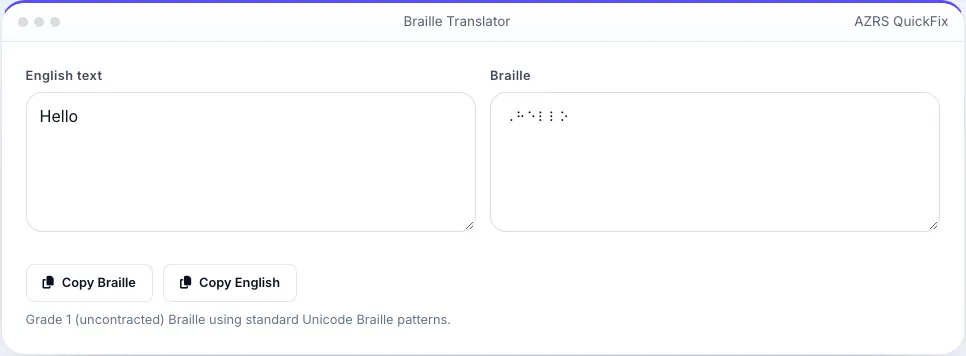
Sample input: English text = Hello; Braille = ⠠⠓⠑⠇⠇⠕
What is the Braille Translator?
Type or paste English text and this tool converts it letter by letter into Grade 1 (uncontracted) Braille, using the standard Unicode Braille patterns so the result can be copied into any document, viewed on a Braille-compatible device, or used to check individual characters against the Braille alphabet while learning it.
It also works in reverse: paste Braille Unicode characters and get the English text back, useful for checking your own Braille writing or reading material typed by someone else. Numbers, basic punctuation and capital letter indicators are handled following standard Grade 1 Braille rules.
3 steps to your result
Open the tool and follow along. Nothing to install.
What you get
English to Braille and Braille to English.
One-to-one letter mapping, the clearest form for learners.
Handled with the correct Braille indicator cells.
Export the result as plain text.
AZRS tools are free to open and use.
It opens in your browser, so there is nothing to download.
Used for
Pick one to see how it fits.
Sighted people learning Braille
Check translations while studying the Braille alphabet.
Try it freeTeachers and parents
Prepare simple labelled materials with Braille alongside print text.
Try it freeHow it compares
A plain look at this tool next to the usual alternative.
| This text tool | Desktop software | |
|---|---|---|
| Install | Nothing to install | Usually an app or program to install |
| Account | No signup | Depends on the product |
| Cost | Free to use | Free or paid, depends on the product |
| Where it runs | In your browser tab | On your computer |
Questions people ask
Is this Grade 1 or Grade 2 Braille?
Grade 1 (uncontracted) Braille, which maps each letter directly — Grade 2 adds contractions and is not included.
Can I read the output as physical Braille?
The output uses Unicode Braille characters, which display as dot patterns on screen; printing tactile Braille requires an embosser or specialised paper, not just this translator.
Does it handle numbers?
Yes, using the standard Braille number indicator followed by the corresponding letter patterns.
Can I translate Braille back to English?
Yes, paste Braille Unicode characters into the reverse field.
Is this suitable for official accessibility documents?
For informal, learning and labelling use, yes; for official or professional Braille documents, use a certified Braille transcription service.
More free tools
Related to the Braille Translator.
Try the Braille Translator now
Translate English text to and from Grade 1 Braille Unicode patterns. Free to use.
Try it free