
Use the Binary & Text Converter
Convert text to and from four different number bases — binary, hexadecimal, octal and decimal — using a simple two-pane, live-converting interface. Switch between Binary→Text and
- Free to use
- No signup
- Nothing to install
- Works in any modern browser
Illustration. Open the tool for the real thing.
See it in action
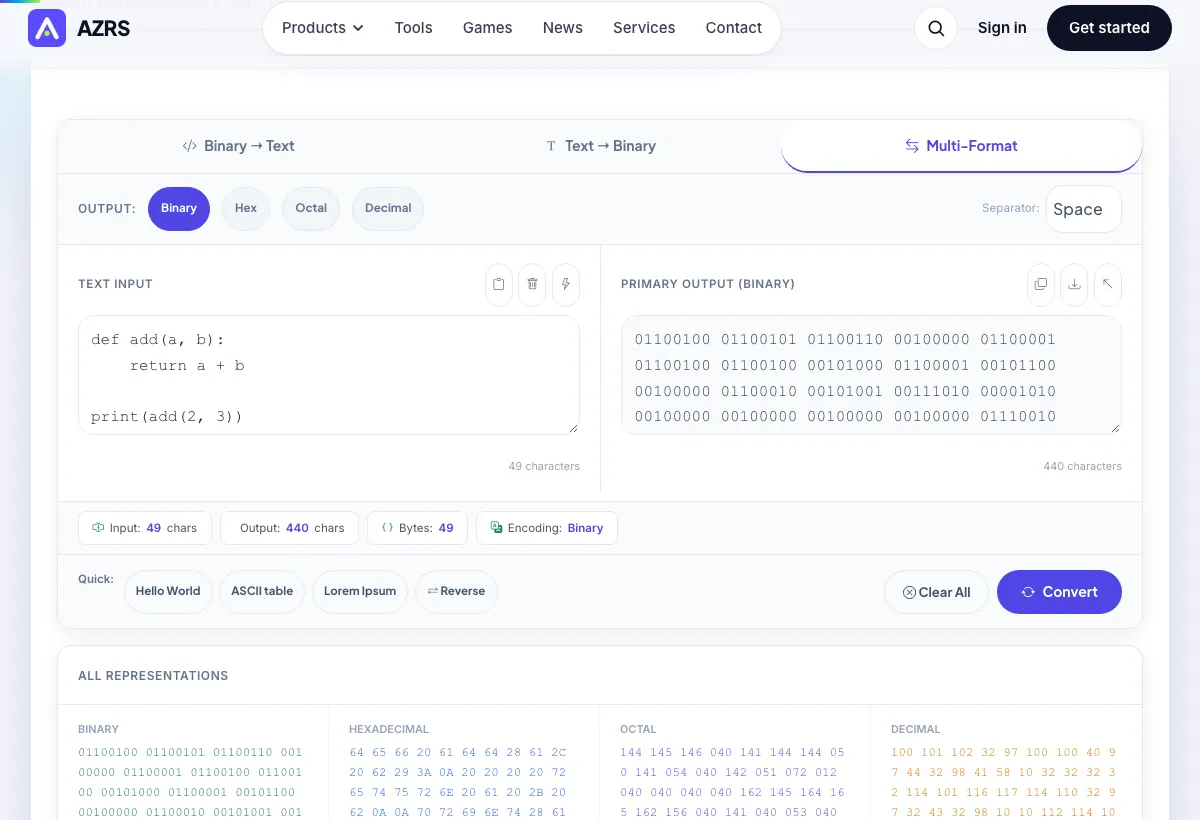
Sample input: Paste binary code here… e.g. 01001000 01100101 01101100 0110 = def add(a, b): return a + b pr...; Search character… = Hello AZRS. Pressed Multi-Format.
What is the Binary & Text Converter?
Convert text to and from four different number bases — binary, hexadecimal, octal and decimal — using a simple two-pane, live-converting interface. Switch between Binary→Text and Text→Binary modes with dedicated tabs, or use the Multi mode to see a single piece of text represented in all four bases side by side at once.
A separator option lets you control how the encoded output is grouped (spaces, dashes or none), and a live stats row shows input/output character counts, total bytes and the currently selected encoding, so you always know exactly what you're looking at.
3 steps to your result
Open the tool and follow along. Nothing to install.
What you get
Convert between text and binary, hex, octal or decimal representations, not just binary and hex.
Dedicated tabs for each direction, plus live conversion as you type.
See the same text encoded in binary, hex, octal and decimal simultaneously in one panel.
Choose how encoded groups are separated in the output for easier reading or reuse elsewhere.
AZRS tools are free to open and use.
It opens in your browser, so there is nothing to download.
Used for
Pick one to see how it fits.
Computer science students
See exactly how text characters map to binary, hex, octal and decimal values.
Try it freeDevelopers
Quickly decode a binary, hex or octal string found in logs, data dumps or low-level debugging.
Try it freePuzzle & CTF enthusiasts
Decode binary, hex or octal-encoded messages without switching between separate tools.
Try it freeHow it compares
A plain look at this tool next to the usual alternative.
| This text tool | Desktop software | |
|---|---|---|
| Install | Nothing to install | Usually an app or program to install |
| Account | No signup | Depends on the product |
| Cost | Free to use | Free or paid, depends on the product |
Questions people ask
Is this converter free?
Yes, free with no signup, and it runs entirely in your browser.
What's the difference between this and other binary/hex converters on the site?
This tool adds octal alongside binary, hex and decimal, and includes a Multi mode showing all four bases for the same text at once, rather than switching manually between two bases.
Can I convert binary back to text?
Yes, switch to Binary→Text mode and paste your binary, hex, octal or decimal string in.
Does it handle non-English text?
Yes, standard character encoding is used so accented characters are supported, though multi-byte characters produce more encoded output per character.
Is my text sent anywhere?
No, all conversion happens locally in your browser.
More free tools
Related to the Binary & Text Converter.
Try the Binary & Text Converter now
Convert text to and from four different number bases — binary, hexadecimal, octal and. Free to use.
Try it free