
Open the Plank Timer with Form Check
A plank timer that watches you. The camera checks whether your body is in a straight line, only times good plank time, and tells you when your hips are too.
- Free to use
- No signup
- Nothing to install
- Runs in your browser
Illustration. Open the tool for the real thing.
See it in action
3D coach demo of the move (rendered mid-motion). Open the tool to count your own reps with your camera or a video.
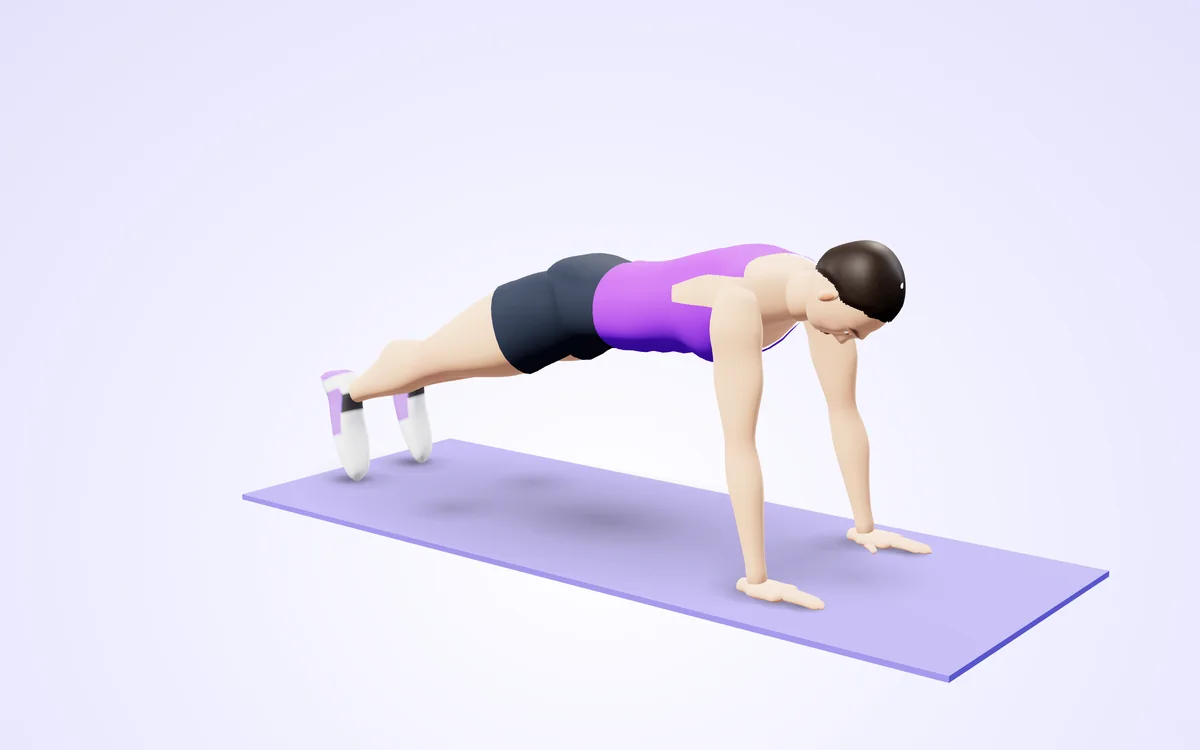
Watch it in 3DSee the exact form before you start. Drag to look from any angle.
Demo only. Move at a pace that feels safe and stop if anything hurts.
What is the Plank Timer with Form Check?
Most plank timers just count down. This one watches your body through the camera, measures how straight your line is from shoulders to heels, and times how long you hold with good form. When your hips drop it says 'Hips too low', and if they rise it says 'Hips too high'.
It works from the side, front or diagonal because it measures hip height in real 3D. It announces your time at 10, 20 and 30 seconds and every minute, tracks the percentage of good form and remembers your best clean streak.
3 steps to your result
Open the tool and follow along. Nothing to install.
What you get
Counts total hold and good-form hold separately.
Hips too low or too high.
10, 20, 30 seconds and minutes.
3D hip height measurement.
No upload.
AZRS tools are free to open and use.
Used for
Pick one to see how it fits.
How it compares
A plain look at this tool next to the usual alternative.
| This fitness tool | Desktop software | |
|---|---|---|
| Install | Nothing to install | Usually an app or program to install |
| Account | No signup | Depends on the product |
| Cost | Free to use | Free or paid, depends on the product |
| Where it runs | In your browser tab | On your computer |
Questions people ask
Does the timer pause if my form breaks?
Total time keeps running while you are in plank position, but only good-form time counts for your clean streak and form score.
Does it work from any camera angle?
Yes, any angle works with Plank Timer with Form Check (Camera). Place the camera on the floor 2 metres away so it sees you from shoulders to feet. The timer only runs while you are in a plank. It warns you if your hips drop or pike up.
Is my video uploaded or saved?
No. Plank Timer with Form Check (Camera) does its hold timer on your device. Nothing is recorded, uploaded or stored and the camera stops when you finish. The timer only runs while you are in a plank. It warns you if your hips drop or pike up.
What do I need?
Any phone, tablet or computer with a camera will do, over https. For Plank Timer with Form Check (Camera): Place the camera on the floor 2 metres away so it sees you from shoulders to feet. The timer only runs while you are in a plank. It warns you if your hips drop or pike up.
Can I use a video instead of the live camera?
Yes, a recorded plank session works. Use 'Analyze a video file' in Plank Timer with Form Check (Camera) and choose the clip. Place the camera on the floor 2 metres away so it sees you from shoulders to feet. The timer only runs while you are in a plank. It warns you if your hips drop or pike up.
More free tools
Related to the Plank Timer with Form Check.
Try the Plank Timer with Form Check now
Times your plank and warns you when your hips sag or lift. Free to use.
Try it free