Apple users can check iPhone battery health in Settings app
iPhone users can easily check their battery health and cycle count in the Settings app, which helps assess battery performance and determine when to replace it. Monitoring battery health is essential…
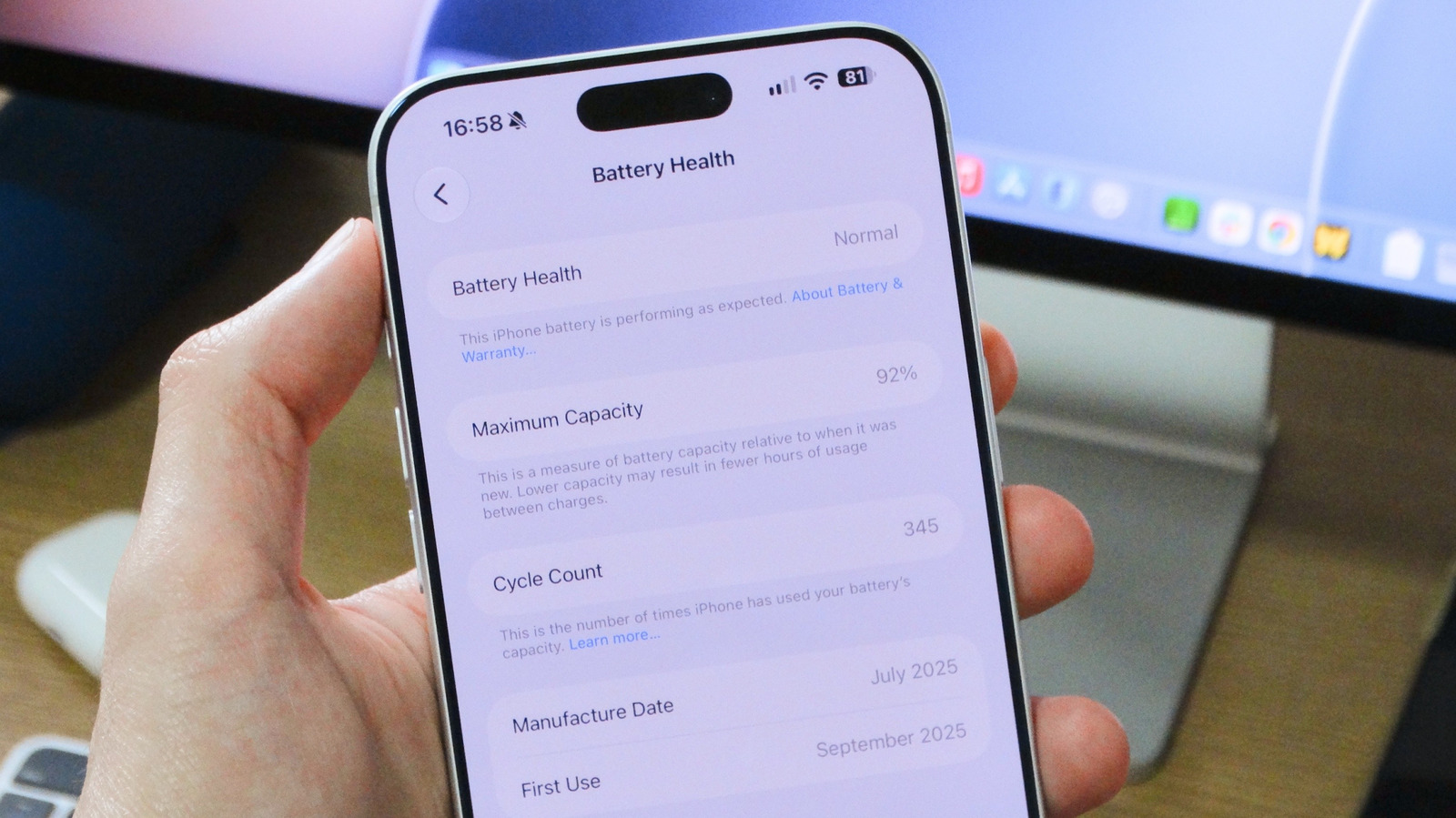
Apple has made it easier for iPhone users to check their device's battery health and cycle count, a crucial feature for understanding battery performance and longevity. Users can access this information directly through the Settings app on their iPhones, allowing them to assess the condition of their battery and determine when a replacement might be necessary.
The need for battery health monitoring is particularly relevant as all rechargeable batteries degrade over time, impacting their ability to hold a charge. Apple’s built-in tools provide insights into the battery's maximum capacity and cycle count, which is the number of full discharges and recharges the battery has undergone. Understanding these metrics is vital for users, especially those purchasing used iPhones, as it helps gauge whether the device will continue to perform well or if issues are likely to arise.
To check battery health, users should navigate to Settings, select Battery, and then tap Battery Health. This section provides an estimate of the battery’s maximum capacity compared to when it was new. For iPhone 15 models and newer, the battery is designed to maintain 80 percent capacity after 1,000 full charge cycles. Older models typically last about 500 cycles before significant degradation occurs. If a battery’s health drops below 80 percent, users may notice reduced battery life, and the system could activate performance management features to prevent unexpected shutdowns.
For those with iPhone 15 or later, the cycle count can be found in the same Battery Health section. However, older models require third-party apps like coconutBattery to access cycle count data. To prolong battery health, users can enable the Optimized Battery Charging feature, which adapts charging patterns based on daily routines. This proactive approach to battery management can help extend the overall lifespan of the device, ensuring it remains functional for a longer period.
Read Full Story at Engadget →